 LinkGuard
🛡️ Scam link scanner for Android
Check the link before you tap it.
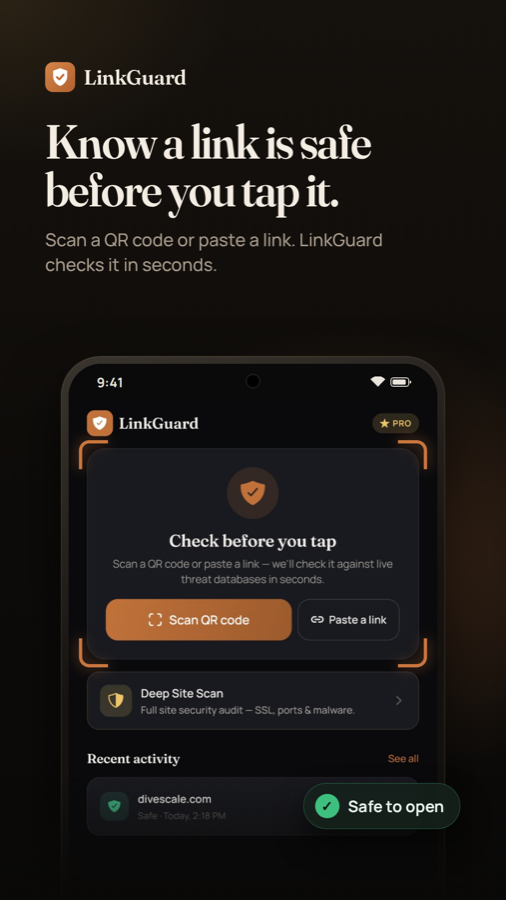
Scan a QR code or paste any link. LinkGuard follows the redirects, runs 15 security checks against live threat databases, and gives you a clear verdict with the reasons behind it.
- ✓ Free to start
- ✓ No account needed
- ✓ Works on any link or QR code
The problem
Scam links look more real every month
Scammers copy real brands, hide destinations behind short links and hurry you with deadlines. By the time you notice, you have already tapped. LinkGuard gives you a second opinion in a few seconds, before you open anything.
Fake delivery texts
"Your package could not be delivered." If you were not expecting one, it is a trap.
Read more →🚗Unpaid toll messages
A small "overdue toll" fee that exists only to steal your card details.
Read more →🏦Bank alert phishing
Urgent "suspicious activity" messages that lead to a fake login page.
Read more →🔳QR code scams
Stickers on parking meters and menus that point to look-alike pages.
Read more →🔀Shortened links
A short link hides where you will land. Unmask it before you tap.
Read more →🔤Look-alike domains
Swapped letters and odd characters that fool a quick glance.
Read more →What LinkGuard does
One question, answered clearly: is this link safe?
Scan
Know before you tap
Open LinkGuard, scan a QR code or paste a link from a text, email or chat. You see the destination and a verdict before your browser ever loads the page.
- QR scanner built in
- Paste any link in one tap
- Recent activity so you can review what you checked
Verdict
A clear verdict, not a guess
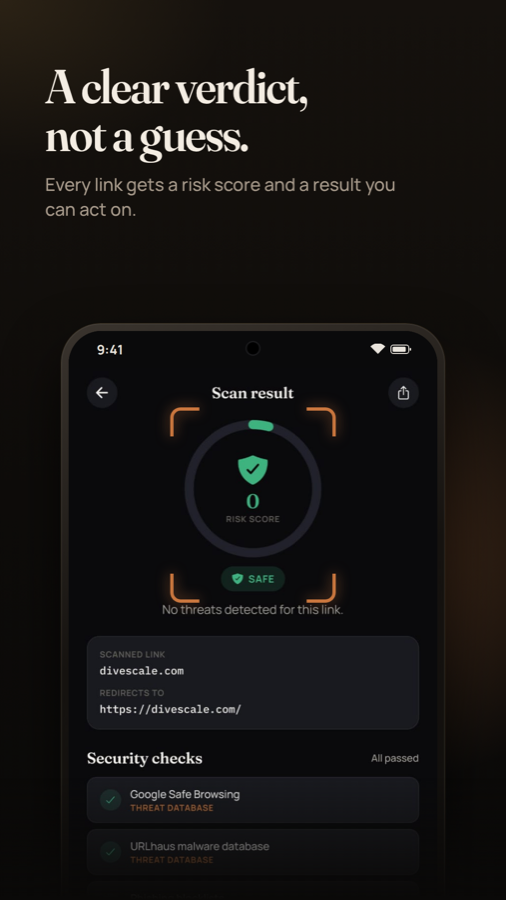
Every link gets a risk score and a plain result: Safe, Suspicious or Dangerous. No jargon to decode, and the reasons are listed right under it.
- Risk score from 0 to 100
- See the final destination after redirects
- Share the result to warn a friend or family member
15 checks
Layered checks on every link
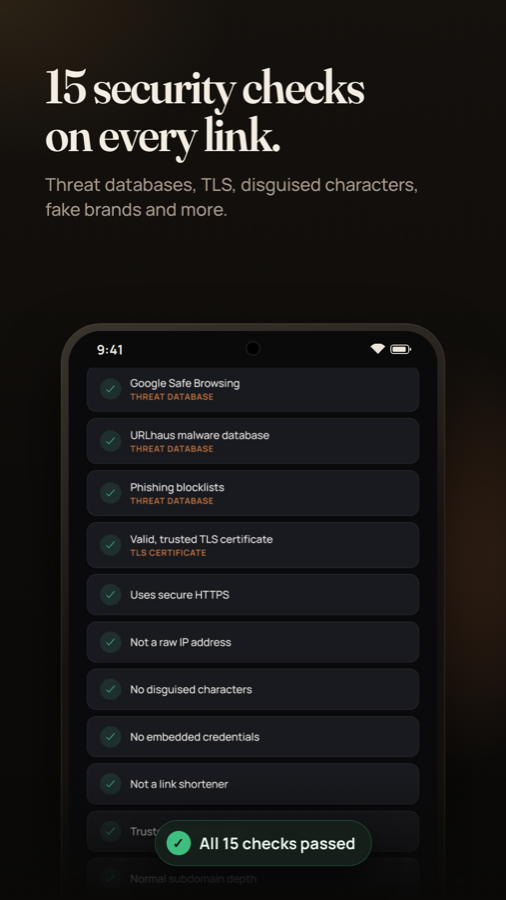
LinkGuard does not rely on one signal. It checks live threat feeds and inspects the link itself for the tricks scammers use.
- Google Safe Browsing, URLhaus and OpenPhish
- Valid, trusted TLS certificate and secure HTTPS
- Raw IP addresses, embedded credentials and link shorteners
- Disguised characters and fake-brand look-alikes
Threat intelligence
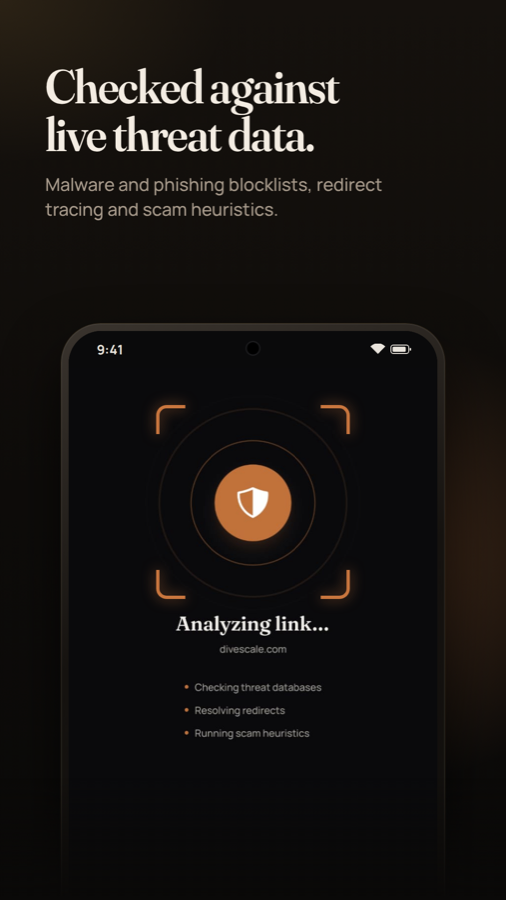
Checked against live threat databases
Known phishing and malware sites are caught by cross-checking the link against public threat feeds that are updated all the time.
- Phishing and malware blocklists
- Reputation from multiple sources
- Results explained in plain English
Deep Site Scan
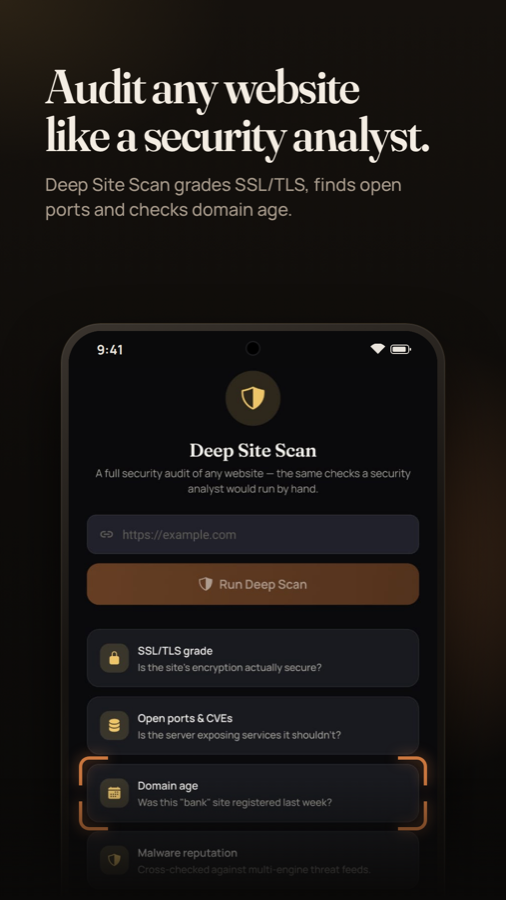
Audit any website like a security analyst
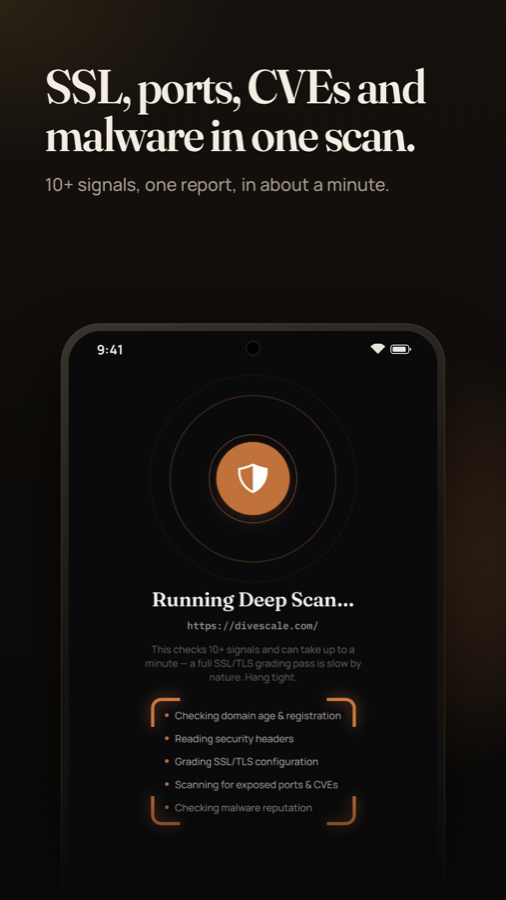
When a verdict is not enough, run a Deep Site Scan. It runs passive checks only, the kind an analyst would do by hand, and turns them into a simple report.
- SSL/TLS grade and certificate health
- Open ports and known CVEs
- Missing security headers and email-spoofing risk (SPF, DMARC, DKIM)
- Domain age, hosting details and malware reputation
Warning signals
See exactly why a link looks risky
Instead of a bare score, LinkGuard lists the warning signals it found so you can learn the pattern and spot it yourself next time.
- Plain-English explanations
- Free users see the verdict and issue counts
- Pro shows every finding with a suggested fix
Everything included
Packed with protection, without the clutter
Results in seconds
Scan and get a verdict fast enough to use before you tap.
QR code scanning
Point the camera at any QR code to see where it leads first.
Redirect unmasking
Follow short and disguised links to the real destination.
Deep Site Scan
TLS grade, ports, headers, domain age and reputation in one report.
Watch this site (Pro)
Get alerted if a site you rely on starts showing risk signals.
Scan history
Keep a record of what you checked. Stored on your device.
Share results
Send a result to a friend who is about to tap a bad link.
Privacy first
No account, no name, no email. Only the link you choose to scan is checked.
Built for Android
A fast native app designed for one-handed use.
LinkGuard Pro
Unlimited protection for every link you meet
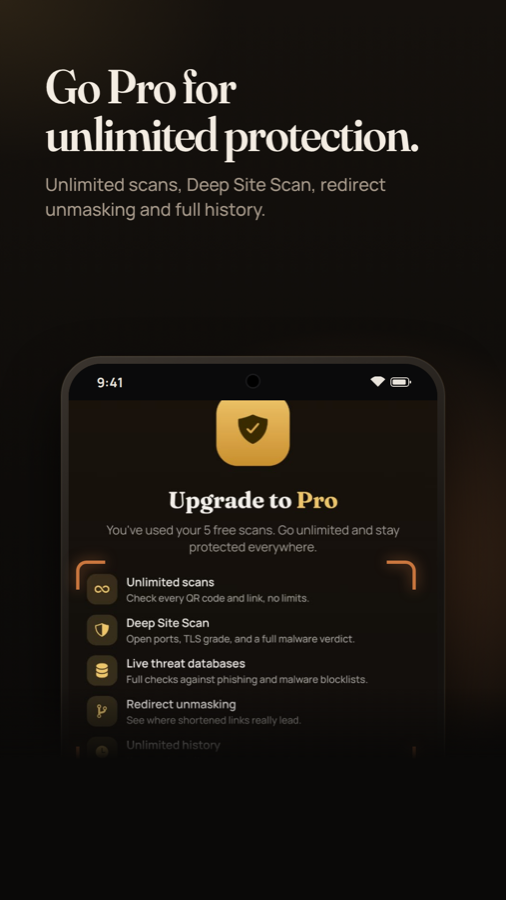
Try LinkGuard free with 5 scans. When you want to check everything, go Pro.
- Unlimited scans
- Deep Site Scan with every finding
- Full live threat database checks
- Redirect unmasking
- Unlimited scan history
- Watch this site monitoring
How it works
Three steps. A few seconds.
- Scan or pasteScan a QR code with the camera, or paste a link from a text, email or chat.
- Get the verdictLinkGuard follows redirects and runs 15 checks, including live threat databases.
- Decide with confidenceOpen it if it is safe. If it is not, you know why, and you can share the result.
Screenshots
See it in action
Who it is for
Made for anyone who gets texts and emails
Families
Give parents and grandparents a simple way to check a link before they tap.
Online shoppers
Check an unfamiliar store or a "too good to be true" deal before you pay.
Small business owners
Vet invoice links, supplier emails and login pages without waiting on IT.
Heavy messengers
If you live in WhatsApp, SMS and email, you see more risky links than most.
Curious techies
Run a Deep Site Scan to look at TLS, headers and ports from your phone.
Everyday commuters
Check QR codes on parking meters and charging stations before you scan to pay.
FAQ
Questions, answered
Is LinkGuard free?
You get 5 free scans to try it. LinkGuard Pro unlocks unlimited scans, full Deep Site Scan findings, redirect unmasking, unlimited history and site monitoring.
Do I need an account?
No. There is no sign-up. The app uses an anonymous, random install ID so it can apply the free scan limit.
What does LinkGuard check?
It runs 15 checks, including Google Safe Browsing, URLhaus and OpenPhish, TLS validity, HTTPS use, raw IP addresses, embedded credentials, link shorteners, disguised characters and look-alike brand names.
Does LinkGuard see my messages or photos?
No. It only looks at the link or QR code you choose to scan. See the privacy policy for the details.
Can it guarantee a link is safe?
No tool can. LinkGuard reduces risk using known threat data and warning signals, but a brand-new scam may not be listed anywhere yet. If something feels off, do not enter passwords or payment details.
What is Deep Site Scan?
A passive audit of a website: SSL/TLS grade, open ports and known CVEs, missing security headers, domain age, email-spoofing risk, malware reputation, hosting details and subdomain exposure. It does not attack or exploit anything.
From the blog
Learn to spot a scam in seconds
Fake package delivery text: how to spot it and what to do
That 'your package could not be delivered' text is almost always a scam. Here are the red flags and the safe way to check.
Unpaid toll text scam: why that 'final notice' is fake
Texts claiming you owe a small toll are a widespread smishing scam. Learn the red flags and the safe way to check.
How to check if a link is safe without clicking it
Practical steps to inspect a suspicious link, from reading the domain to using a link scanner.
Fake bank alert texts: how to tell a real warning from a phishing scam
'Suspicious activity on your account' texts often lead to fake login pages. Here is how to verify a bank message safely.
QR code scams (quishing): how they work and how to stay safe
Fake QR codes on parking meters, menus and emails can send you to phishing pages. Here is how to scan safely.
Shortened links hide the destination: how to unmask them
Short links from bit.ly-style services hide where you will land. Learn how scammers use them and how to check one safely.
Stop guessing. Scan it first.
Free to try. No account. Takes a few seconds.
Get it on Google Play